Expense Management Software for Small Business (2026)
How expense management software works, what Expensify, Ramp, Brex, Zoho Expense and Xero really cost, and a 30-day rollout plan your team will adopt.
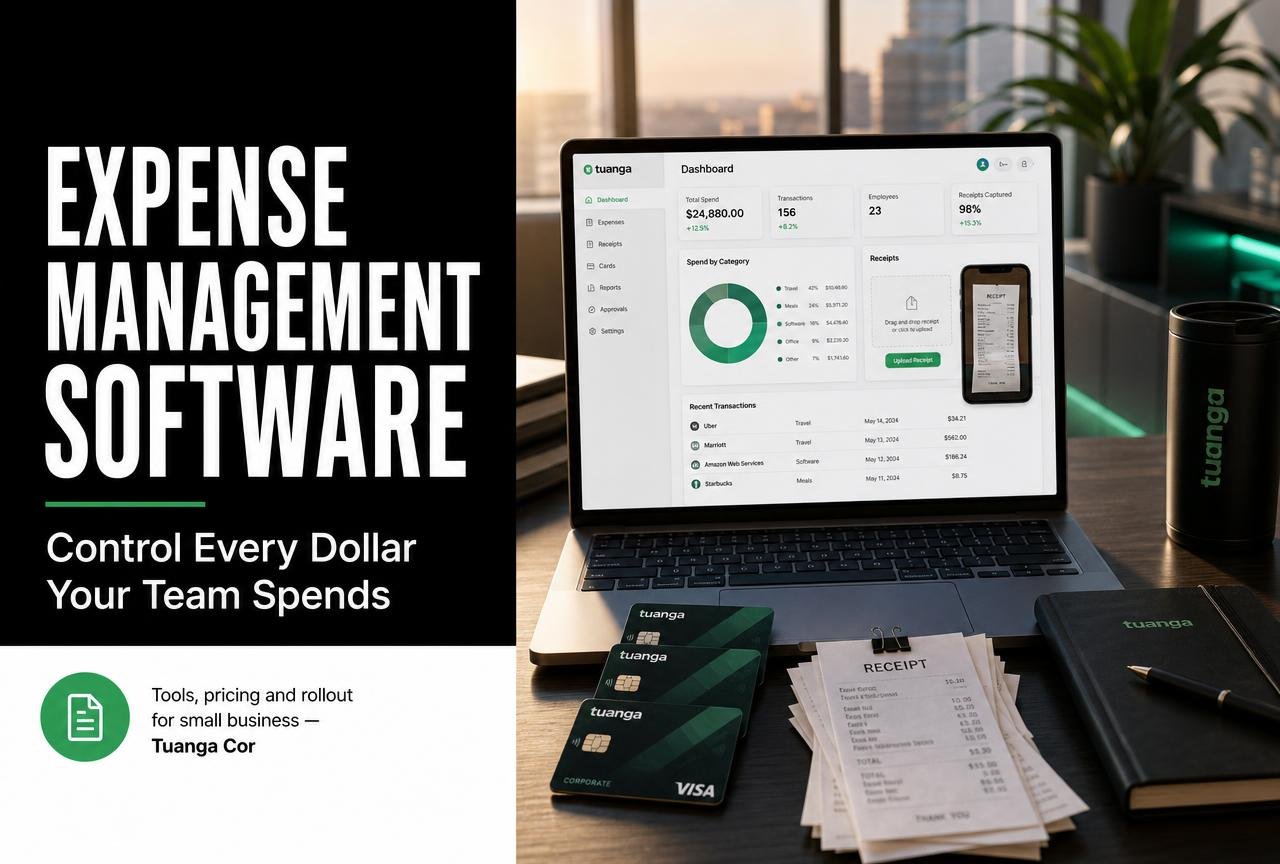
Every small business leaks money in the same three places: subscriptions nobody cancelled, receipts nobody filed, and reimbursements nobody checked. None of it looks dramatic on a single line of a bank statement. Added up over a year, it is often the difference between a comfortable margin and a nervous one.
Expense management software is the category built to close those leaks. It captures a receipt at the moment of purchase, codes the spend to the right account, routes it for approval, reimburses the employee, and hands a clean journal entry to your accountant — with almost no typing from anyone. This guide explains how the systems work, what Expensify, Ramp, Brex, Zoho Expense, Xero and QuickBooks actually cost, and how to roll one out in a month without a rebellion from the sales team.
What expense management software actually does
Expense management is the process of recording, approving, reimbursing and reporting money spent by employees or by the business on the company's behalf. Software turns that process from a monthly paper chase into a continuous, mostly automatic flow.
The six jobs a good system handles
- Capture — a photo of a receipt is read by OCR, which extracts merchant, date, tax and total, then attaches the image permanently to the record.
- Coding — the expense is mapped to a general-ledger account, department, project or client so reporting is meaningful without a rework at month end.
- Policy enforcement — limits, per diems and receipt thresholds are checked automatically, and out-of-policy items are flagged before, not after, the money leaves.
- Approval routing — items go to the right manager by amount, category or cost centre, with a mobile approval that takes seconds.
- Reimbursement — approved claims are paid by ACH, Faster Payments, EFT or into payroll on a schedule.
- Sync to accounting — the finished transaction lands in QuickBooks Online, Xero or Sage as a categorised bill or journal, with the receipt image attached for audit.
Expense management, accounts payable and accounting are not the same thing
These three categories overlap and vendors blur the lines deliberately. A useful separation:
- Accounting software (QuickBooks, Xero) is the ledger of record. Everything ends here.
- Accounts payable handles supplier invoices — bills you receive and schedule for payment.
- Expense management handles employee-initiated spend — cards, mileage, travel, subscriptions and reimbursements.
Most small businesses need the ledger plus one of the other two. If your spend is mostly supplier invoices, prioritise AP. If it is mostly cards and people, prioritise expenses. If you are still choosing the ledger itself, start with our review of the best accounting software for freelancers and small firms.
Seven signs your expense process is costing more than the software
- Month-end close waits on somebody chasing receipts in a group chat.
- You discovered a subscription you had been paying for a service nobody uses.
- Reimbursements take longer than two weeks and staff have started to complain.
- Card statements are reconciled from memory rather than from documents.
- You cannot answer "what did we spend on software last quarter?" in under a minute.
- Your accountant charges extra for "cleanup" or "uncategorised transactions".
- Only one person understands the expense spreadsheet, and they are on holiday.
Three or more of these and the arithmetic gets simple. If a bookkeeper spends six hours a month on expense admin at $45 an hour, that is $270 — more than most entry-tier plans, before you count the spend you stop leaking.
A quick way to size the prize
Take last year's total card and reimbursement spend. Industry finance teams typically find between two and five per cent of that is duplicated, out of policy, or paying for something nobody uses. On $200,000 of annual spend that is $4,000 to $10,000 — recovered mostly in the first quarter after visibility improves.
Best expense management software compared (2026)
The platforms below are the ones small businesses in the US, UK, Canada and Australia shortlist most often. Pricing is entry-tier from each vendor's public pricing page at time of writing; confirm your region's currency and any card-issuing eligibility before you commit.
| Platform | Best for | Entry price | Corporate cards | Accounting sync | Watch out for |
|---|---|---|---|---|---|
| Expensify | Small teams that mostly reimburse | Free tier, then ~$5/user/mo | Optional | QuickBooks, Xero, NetSuite | Per-user cost grows quickly |
| Ramp | US companies with card-heavy spend | Free core plan | Native, unlimited | QuickBooks, Xero, Sage | US entities only |
| Brex | Funded startups scaling fast | Free core plan | Native | QuickBooks, Xero, NetSuite | Eligibility criteria |
| Zoho Expense | Global teams and multi-currency | Free tier, then ~$5/user/mo | Via partners | Zoho Books, QuickBooks, Xero | Best value inside Zoho suite |
| Xero Expenses | Existing Xero users | Add-on per active user | No | Native | Lighter policy engine |
| QuickBooks Online | Micro teams already on QBO | Included on higher plans | Limited | Native | Approvals are basic |
How to read that table
If you are under ten people and mostly reimburse
Start with the tool bundled into your ledger. Xero Expenses or QuickBooks' built-in receipt capture will cover you at a fraction of the cost of a dedicated platform, and there is one less integration to maintain.
If most spend happens on cards
Choose a platform that issues the cards. Controls applied at the card level — a vendor lock, a monthly limit, a category block — prevent overspend rather than reporting it afterwards. This is where Ramp and Brex earn their place, and why their core plans can be free: the interchange pays for the software.
If you operate across currencies
Check how each product handles foreign-exchange rates, VAT and GST reclaim, and per-diem rules for the countries you actually travel to. Zoho Expense is unusually strong here for the money.

The features that matter — and the ones that do not
Worth paying for
- Reliable OCR with duplicate detection. Accuracy is the whole product. Test it with a crumpled restaurant receipt and a foreign-currency invoice, not a flat PDF.
- Rules-based approval routing. Amount thresholds, category-specific approvers and automatic approval below a sensible floor. Approving a $4 coffee is theatre, not control.
- Real-time card controls. Freeze, limit, restrict by merchant category, and issue single-use virtual cards for new subscriptions.
- Audit trail with attached documents. Every state change logged, every receipt stored. This is what turns a tax review from a week into an afternoon.
- Deep accounting sync. Two-way, mapped to your real chart of accounts, tracking categories and tax codes — not a CSV export.
Usually not worth the upgrade
- Built-in travel booking, unless travel is a genuine cost centre for you.
- AI "insight" dashboards that restate what a category report already shows.
- Elaborate budgeting modules that duplicate your accounting software's own reports.
- Per-diem engines for countries you never visit.
Security and compliance basics to verify
Ask for the SOC 2 Type II report, confirm data residency if you are subject to UK or EU rules, check that digital receipt images satisfy your tax authority's record-keeping requirements, and confirm SSO plus role-based permissions are available on the plan you intend to buy — not three tiers up. In the UK, HMRC's Making Tax Digital rules mean your digital records must maintain a clear link from receipt to return; ask the vendor to show you exactly how that link is preserved.
A 30-day rollout plan that people actually adopt
Software fails at adoption, not installation. This sequence has worked repeatedly for teams between five and fifty people.
Week 1 — Decide the rules before you touch a tool
Write a one-page expense policy in plain language: what is reimbursable, what needs a receipt, spending limits per role, and how fast people get paid back. One page. If it needs a second page, it is too complex to enforce.
Week 2 — Configure and connect
Map your chart of accounts, create approval rules, connect the accounting sync in test mode, and issue cards to two or three willing volunteers. Run a handful of real transactions end to end and check what lands in the ledger.
Week 3 — Pilot with one team
Sales or operations, whoever spends most. Watch a real person submit an expense on their phone without help. Every point where they hesitate is a configuration problem, not a training problem.
Week 4 — Roll out and close the old door
Announce a hard cutoff date for the old process. Parallel running for months guarantees half the company never moves. Pay the first cycle quickly and visibly — nothing drives adoption like a reimbursement arriving three days after submission instead of four weeks.
Integrations, APIs and the wider finance stack
An expense platform is only as useful as the systems it talks to. Four connections do most of the work.
- Accounting ledger. Non-negotiable. Confirm it syncs tracking categories, classes or projects — not just accounts.
- Payroll. Useful if you reimburse through pay runs rather than separate transfers. Our payroll software comparison covers how the major providers handle reimbursement lines.
- Banking feeds. Direct feeds beat screen-scraped ones for reliability; ask which method is used for your bank specifically.
- Identity and HR. SSO and automatic deprovisioning matter the day someone leaves with a company card in their wallet.
When to use the API
Most small businesses never need it. The exceptions are project-based firms that want spend pushed against client jobs automatically, and e-commerce sellers who want advertising and fulfilment costs allocated per channel. If either applies, check for webhooks and documented rate limits before you buy — Intuit's developer documentation is a good benchmark for what mature API docs should look like.
Common mistakes that waste the investment
- Buying on price per user alone. A cheaper tool with weak OCR moves the work to a human. Compare total cost including labour.
- Approving everything. If every item needs a manager's click, approvals become rubber stamps and the control is fictional. Auto-approve small in-policy spend and review by exception.
- Skipping the chart-of-accounts cleanup. Syncing into a messy ledger produces a faster mess. Tidy the accounts first.
- Ignoring the mobile experience. Ninety per cent of receipts are captured on a phone within minutes of the purchase. If the app is slow, the process fails.
- Leaving old cards active. Cancel the legacy cards on cutover day, or spend simply routes around your new controls.
- No owner. Someone must own the policy, the categories and the monthly review. Shared ownership is no ownership.
The verdict: which one should you choose?
There is no single winner, but there is a clear decision tree.
- Under ten people, low card spend, already on Xero or QuickBooks: use the native expense module. Revisit in a year.
- US-based, meaningful card spend, want controls at the source: Ramp's free core plan is hard to argue with.
- International team or multi-currency travel: Zoho Expense gives the most capability per dollar.
- Reimbursement-heavy with contractors and mixed devices: Expensify remains the smoothest submission experience.
- Venture-funded and scaling headcount fast: Brex, for the card infrastructure and controls.
Whichever you pick, the value comes from consistency rather than features. A modest tool used by everyone beats a sophisticated one used by half the company. Get the policy on one page, make submission take under a minute, pay people quickly, and review the category report every month. That is the whole discipline — the software just makes it survivable.
Next, tighten the other side of the ledger: our guide to invoicing tools for small business covers getting money in as efficiently as this one covers controlling money out.
Frequently asked questions
What is expense management software?
It is software that captures receipts, codes each expense to the right account, routes it for approval, reimburses employees and syncs the finished transaction to your accounting ledger — replacing spreadsheets, paper receipts and manual reconciliation.
How much does expense management software cost for a small business?
Entry-tier plans typically run from free to about $5 to $12 per active user per month. Card-issuing platforms such as Ramp and Brex offer free core plans because interchange revenue funds the software.
Do I still need accounting software if I use an expense tool?
Yes. Expense management handles employee spend; accounting software remains the ledger of record for invoices, payroll, tax and financial statements. The two are designed to work together through a two-way sync.
Are photos of receipts acceptable for tax purposes?
In the US, UK, Canada and Australia digital images are generally accepted provided they are legible, complete and retained for the required period. Confirm the retention period with your accountant and check that your vendor stores images for at least that long.
What is the difference between expense management and accounts payable software?
Expense management covers spend initiated by employees — cards, mileage, travel and reimbursements. Accounts payable covers supplier invoices received by the business. Some platforms do both, but the workflows and approvals differ.
Can expense software prevent overspending rather than just report it?
Only if it issues the cards. Platforms with native card issuing can set per-card limits, block merchant categories and create single-use virtual cards, which stops out-of-policy spend before it happens.
How long does implementation take?
For a team under fifty people, four weeks is realistic: one week to write the policy, one to configure and connect accounting, one to pilot, and one to roll out and retire the old process.
Does expense management software work for sole traders and freelancers?
Yes, though the free tier of your accounting software usually suffices. The value of a dedicated platform rises sharply once more than two or three people are spending company money.
How do I get staff to actually use it?
Make submission take under a minute on mobile, auto-approve small in-policy items, pay reimbursements within days, and set a hard cutoff date for the old process rather than running both in parallel.
Accounting, invoicing, payroll and cash-flow software for freelancers and small businesses.


