Accounts Payable Automation Software for Small Business
How AP automation works, how Bill, Ramp, Melio, Stampli, Tipalti and native QuickBooks and Xero tools compare, plus fraud controls and a 30-day rollout.
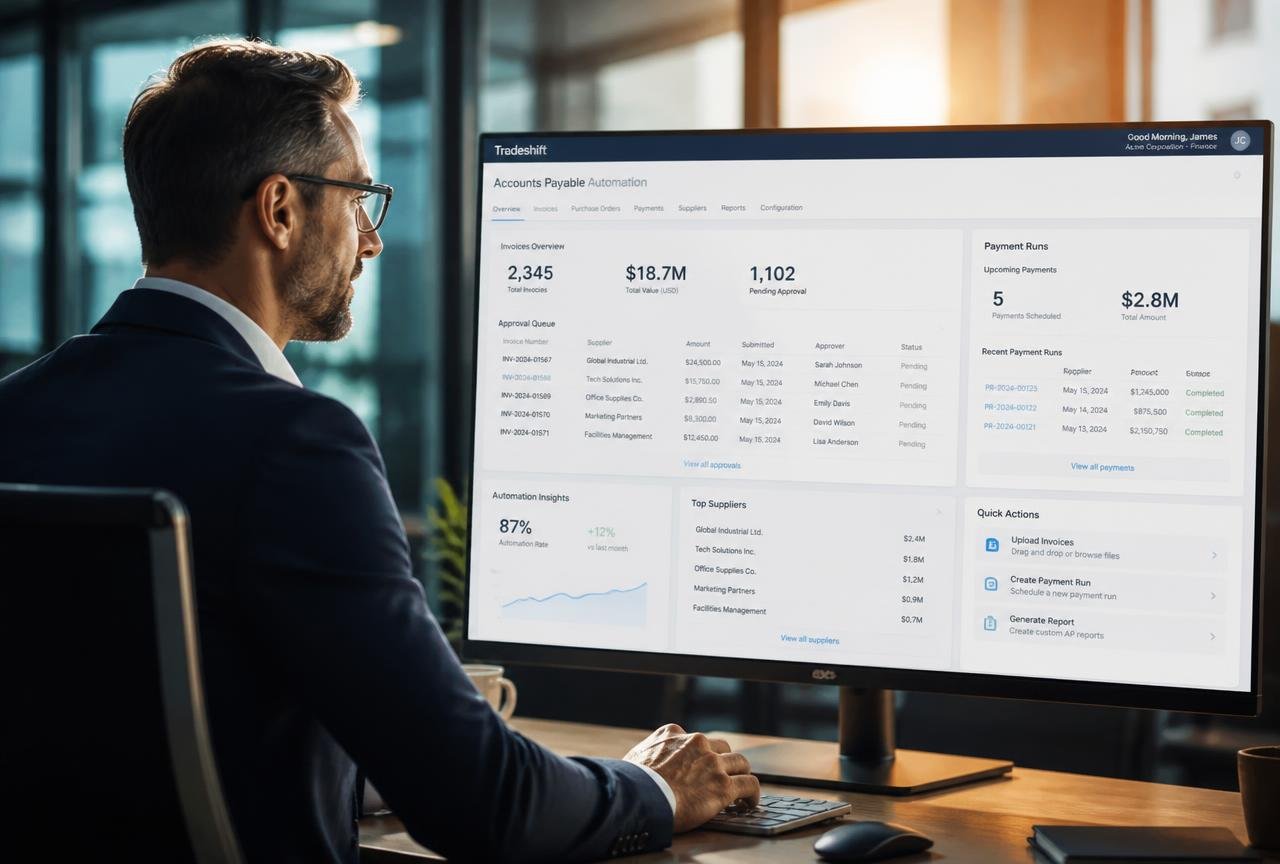
Nobody starts a business because they enjoy paying suppliers. Yet in most small companies the accounts payable routine quietly eats a day or more every week: invoices arrive by email, someone prints them, someone else approves them by replying "ok", and on Friday the owner logs into online banking and types the same account numbers they typed last month.
Accounts payable automation software replaces that routine with a controlled, auditable process. Invoices are captured automatically, coded against the right expense account, routed to whoever must approve them, matched against purchase orders, and paid in a scheduled batch that syncs straight back to QuickBooks or Xero.
This guide is written for owners, bookkeepers and finance leads at companies spending anywhere from $20,000 to $2 million a month with suppliers. It covers how AP automation actually works, how Bill, Ramp, Melio, Tipalti, Stampli and the native tools inside QuickBooks and Xero compare, what each really costs, the fraud controls you should insist on, and a 30-day rollout that will not break month-end close.
What accounts payable automation software actually does
Accounts payable is the full lifecycle of money you owe: an invoice arrives, it is validated, coded, approved, scheduled, paid, and recorded. Automation software takes each of those steps and turns it from a human habit into a system rule. The human stays in the loop for judgement — is this the right amount, did we receive the goods — and drops out of the loop for data entry.
The six jobs the software has to do well
- Capture — a dedicated inbox, drag-and-drop upload, or supplier portal ingests PDFs, and optical character recognition (OCR) with machine learning reads supplier name, invoice number, date, tax and line items.
- Code — the system remembers how you categorised the last invoice from that supplier and pre-fills the expense account, department, project and tax rate.
- Approve — rules route invoices by amount, department or supplier to the right approver, with mobile approval and a permanent record of who said yes and when.
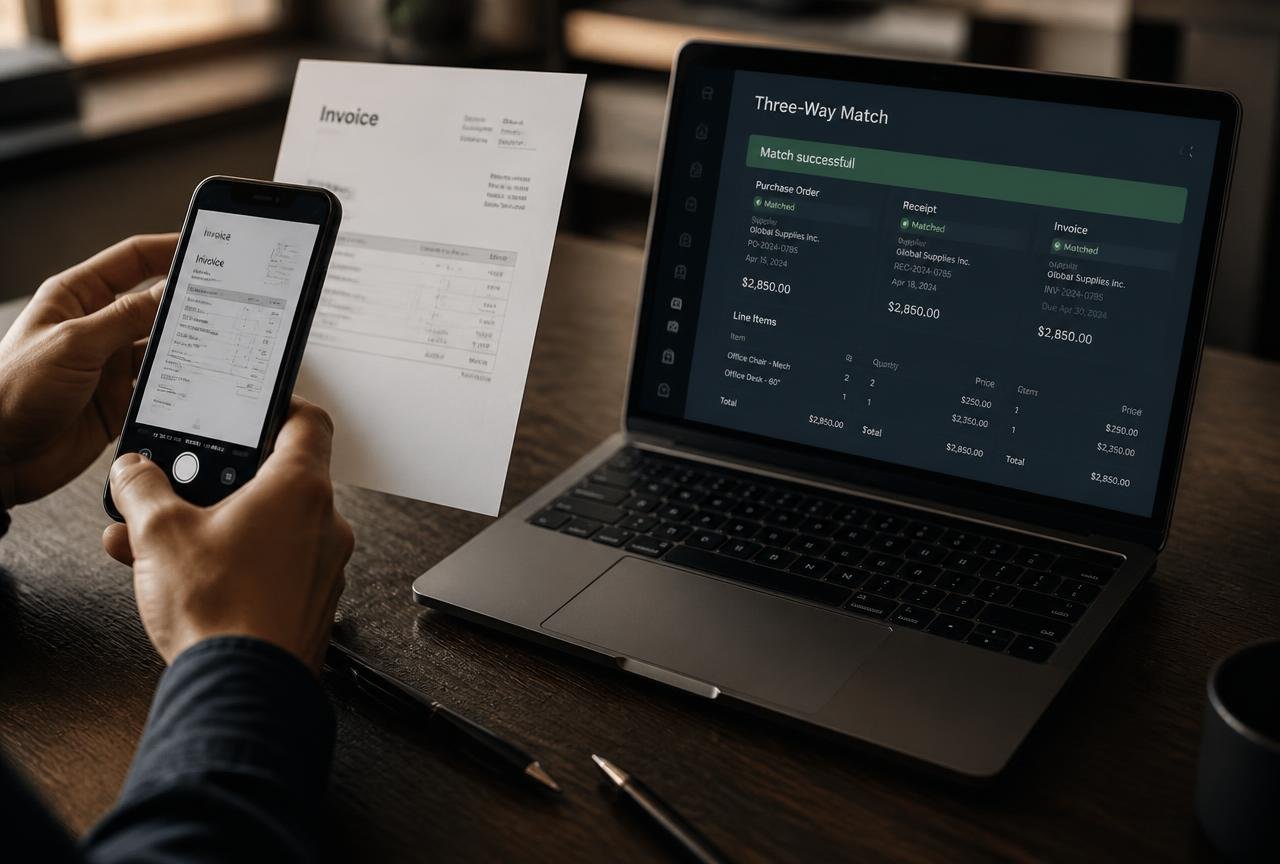
- Match — two-way matching against a purchase order, or three-way matching that also checks a goods-received note, so you never pay for what did not arrive.
- Pay — ACH, bank transfer, virtual card, cheque or international wire, executed in batches with dual authorisation on the release.
- Sync — a clean, two-way write-back to your ledger so bills, payments and attachments land in QuickBooks Online or Xero without a CSV in sight.
Where it sits in your stack
AP automation is one of three finance systems that should share the same chart of accounts. The ledger (QuickBooks or Xero) is the record of truth, the AP tool owns money going out to suppliers, and an expense platform owns employee spending on cards and reimbursements. If you have not yet separated those two flows, read our companion guide to expense management software for small business before you buy — the overlap between the categories is the single most common source of duplicated subscriptions.
Downstream, AP feeds your forecast. Scheduled payments with real due dates are the most reliable input a cash flow forecasting model can have, which is why teams that automate AP usually see their 13-week forecast accuracy improve within a quarter.
Eight signs your AP process is costing you money
- Invoices are approved by email reply, and nobody could reconstruct the approval trail six months later.
- You have paid a supplier twice in the last year, or paid an invoice that was never received.
- Late payment fees or lost early-payment discounts appear on supplier statements.
- Your bookkeeper spends more than four hours a month typing invoice data.
- You cannot answer "how much do we owe right now?" without opening a spreadsheet.
- One person can both create a supplier and release a payment to them.
- Month-end close slips because supplier invoices arrive after the books are drafted.
- Suppliers email to chase payment status and someone has to go looking.
Three or more of these and the business case writes itself. The largest documented cost is rarely the software; it is the combination of duplicate payments, missed discounts and the opportunity cost of a bookkeeper doing keyboard work instead of analysis.
What the numbers usually look like
A team processing 120 invoices a month at roughly eight minutes of handling each spends about 16 hours monthly on data entry, chasing and filing. Automation typically removes 60–80% of that handling time. At a fully loaded bookkeeping cost of $35 an hour, the recovered time alone covers most entry-tier subscriptions, before you count a single avoided duplicate payment.
Best accounts payable automation software: compared
The platforms below are the ones small businesses in the US, UK, Canada and Australia most often shortlist. Pricing is entry-tier from each vendor's published pricing page at time of writing and changes regularly — confirm current figures and regional availability before you commit, particularly for international payments.
| Platform | Best for | Entry price | PO matching | International pay | Ledger sync |
|---|---|---|---|---|---|
| Bill | Classic AP with strong approval workflows | ~$45/user/mo | Yes (higher tiers) | Yes | QuickBooks, Xero, Sage, NetSuite |
| Ramp | Card spend and AP in one platform | Free core tier | Basic | Yes | QuickBooks, Xero, NetSuite |
| Melio | Very small teams paying US suppliers | Free ACH, fees per method | No | Limited | QuickBooks, Xero |
| Stampli | Collaborative approvals and messy invoice queries | Quote-based | Yes | Yes | Most major ledgers |
| Tipalti | Global supplier bases and tax compliance | Quote-based, higher floor | Yes | Extensive | QuickBooks, Xero, NetSuite |
| QuickBooks / Xero native | Low volume, single approver | Included in plan | Purchase orders only | Via partners | Native |
Bill
Bill remains the default answer for a company that wants a proper AP department in software form: a capture inbox, multi-step approval policies, supplier records with payment details held securely, and audit trails your accountant will recognise. It is priced per user per month, so it rewards teams where only two or three people touch AP and punishes ones where every department head needs a seat. Check the vendor's own pricing page for current tiers.
Strengths
- Deep approval routing with amount and department thresholds.
- Mature supplier network — many suppliers are already on it, which speeds up payment delivery.
- Strong QuickBooks and Xero write-back including attachments.
Limitations
- Per-seat pricing gets expensive when approvers outnumber processors.
- The interface prioritises completeness over speed; new users need a walkthrough.
Ramp
Ramp's pitch is consolidation: corporate cards, employee expenses and supplier bill pay under one roof, with a free core tier funded by interchange. For a company already using Ramp cards, adding AP means one less integration and one reconciliation surface. The trade-off is depth — complex three-way matching and unusual approval hierarchies are better served elsewhere.
Melio
Melio is the pragmatic choice for a very small company: free ACH payments, pay-by-card options where a supplier only accepts cheque, and a QuickBooks sync that works out of the box. There is no serious purchase-order matching and approval workflows are simple, which is exactly right for a two-person finance function and wrong for a fifteen-person one.
Stampli
Stampli's distinguishing idea is that most AP delays are conversations, not tasks. Every invoice carries a comment thread, so the question "did we actually receive these?" happens on the document rather than in a lost email. Teams with lots of project-coded spend — agencies, construction, events — tend to rate it highly.
Tipalti
If you pay contractors or suppliers in multiple countries, Tipalti's supplier onboarding, tax form collection and payment-method coverage are its reason to exist. It carries a higher price floor and a longer implementation, so it makes sense once cross-border payments are routine rather than occasional.
Native QuickBooks and Xero
Both ledgers can raise purchase orders, hold bills and schedule payments. For a business with under 30 invoices a month and one approver, that is genuinely enough. What they lack is intelligent capture at scale, layered approval rules, and payment execution with dual control. Xero's own documentation is a good place to confirm what the native workflow covers before adding a third-party tool.
What AP automation really costs
Headline subscription prices tell you less than half the story. Build your budget from four lines.
1. Subscription
Either per user per month or a platform fee with an invoice-volume allowance. Count approvers, not just processors — that is where per-seat models bite.
2. Transaction fees
Domestic ACH is often free or a few cents. Cheques, instant transfers, card payments and international wires each carry a fee, sometimes a currency spread on top. If 20% of your payments are cross-border, model that separately; the FX margin can exceed the subscription.
3. Implementation
Budget real hours even where the vendor charges nothing: supplier data cleanup, chart-of-accounts mapping, approval policy design and testing. For 100 suppliers, plan on 8–12 hours of internal work.
4. The cost of not doing it
Duplicate payments, late fees, forfeited 2/10 net 30 early-payment discounts, and the hours your bookkeeper spends on entry. A single 2% discount captured on $40,000 of monthly spend is $800 — more than most subscriptions.
Fraud controls and compliance you should insist on
Supplier payment fraud is the most common financial crime against small businesses, and it almost never involves hacking. It involves an email that looks like it came from a supplier, asking to update bank details. Good AP software makes that attack hard.
The non-negotiable controls
- Segregation of duties — the person who adds or edits a supplier's bank details cannot also release the payment.
- Change alerts — any change to supplier banking triggers a notification to a second person and a required re-verification.
- Dual authorisation above a threshold you set, enforced by the system rather than by policy.
- Immutable audit log — who approved what, when, from where, exported on demand for your accountant or auditor.
- Role-based access so a department head can approve their own invoices and see nothing else.
- SSO and MFA at minimum; SAML SSO if you already run Google Workspace or Microsoft Entra ID.
Data and residency questions worth asking
Ask where invoice data is stored, how long it is retained, whether the vendor holds a current SOC 2 Type II report, and — for UK, EU, Canadian and Australian businesses — what the contractual position is on cross-border data transfer. Reputable vendors answer these in a page; evasive answers are themselves the answer.
Record keeping
Tax authorities in the US, UK, Canada and Australia all require supporting documentation for deductible expenses, typically for five to seven years. Digital copies are acceptable in each of these jurisdictions provided they are complete and legible, which is one of the quieter benefits of automation: the invoice image is permanently attached to the ledger entry rather than living in a filing cabinet.
A 30-day rollout that will not break month-end
The failure mode for AP projects is switching everything at once, in the same week as close. Stagger it.
Week 1 — map and clean
- Export your supplier list. Deduplicate, mark inactive anyone unpaid in 12 months, and verify bank details for your top 20 by spend over the phone, not by email.
- Write down your current approval reality — who actually signs off what, at what value.
- Confirm your chart of accounts is clean enough to code against.
Week 2 — configure in parallel
- Connect the ledger in sandbox or with sync paused, import suppliers, and build approval rules that match the reality you wrote down, not an idealised version.
- Set up the capture inbox but keep forwarding invoices to the old process too.
- Run five real invoices end to end without paying them.
Week 3 — pilot with one category
- Move a single spend category — software subscriptions works well — fully into the new system, including payment.
- Reconcile that category manually at week's end and confirm the ledger entries are exactly what you expected.
- Collect friction from approvers; fix routing before you scale.
Week 4 — switch and communicate
- Email every active supplier one short note: where to send invoices from now on, and the reminder that you will never change bank details by email.
- Turn off the old inbox with an auto-forward, not a bounce.
- Close the month in the new system with the old spreadsheet open beside you as a check, once.
Where AI genuinely helps — and where it does not
Every vendor now markets AI. In AP, three applications are real and one is oversold.
Real
- Extraction accuracy. Modern models read line items, tax and totals from imperfect PDFs and photos far better than template-based OCR, and they improve per supplier over time.
- Coding suggestions. After a few dozen invoices the system predicts the expense account and cost centre with high confidence, and flags the ones it is unsure about.
- Anomaly detection. Duplicate invoice numbers, amounts far outside a supplier's normal range, and unusual bank-detail changes are exactly the pattern-matching problem machines are good at.
Oversold
Autonomous approval. No small business should let software approve and release payment without a human decision above a trivial threshold. Use AI to prepare the decision, not to make it. The control weakness that creates is precisely the one fraudsters look for.
How to choose: a decision framework
Answer five questions honestly and the shortlist narrows to two.
- Volume. Under 30 invoices a month? Start native in QuickBooks or Xero. 30–300? Bill, Ramp, Melio or Stampli. Above that, or with heavy PO matching, look at Stampli and Tipalti.
- Approvers. More than four people who must sign off pushes you away from per-seat pricing.
- Geography. Any regular cross-border payment moves Tipalti and Bill up the list and Melio down it.
- Purchase orders. If you raise POs, insist on true three-way matching rather than a field that merely stores a PO number.
- Adjacent spend. If cards and reimbursements are also a mess, a consolidated platform such as Ramp may beat a best-of-breed AP tool plus a separate expense product.
Questions to ask on the demo call
- Show me an invoice going from inbox to paid, live, in under three minutes.
- What happens when an invoice has no purchase order and the amount is 15% over the quote?
- How do you handle credit notes and partial payments in the ledger sync?
- Can I export my full transaction history and supplier records if I leave, and in what format?
- What is your published uptime, and where is your status page?
Sales teams answer the first three well. The last two separate vendors who expect a long relationship from ones who expect lock-in.
The four metrics that tell you it is working
Measure a baseline in the week before you switch, then again at 60 and 120 days.
| Metric | How to measure | Healthy direction |
|---|---|---|
| Cost per invoice processed | Total AP labour hours × hourly cost ÷ invoices | Down 50%+ within two quarters |
| Invoice cycle time | Days from receipt to approved | Under 3 business days |
| Exception rate | % of invoices needing manual intervention | Under 15% |
| Early-payment discount capture | Discounts taken ÷ discounts offered | Above 80% |
If cycle time does not fall, the bottleneck is approvers, not software — fix the routing rules or the thresholds. If exception rate stays high, the cause is usually supplier data quality or a chart of accounts with too many similar codes.
Teams that get all four moving in the right direction tend to be the same teams that already run disciplined process elsewhere. If you are building that discipline across the business, our guide to project management software for small teams covers the operational half of the same problem.
Frequently asked questions
What is accounts payable automation software?
It is software that captures supplier invoices, extracts their data automatically, codes them to the right expense accounts, routes them for approval, matches them against purchase orders, schedules payment, and syncs the result to your accounting ledger — replacing manual data entry and email-based approvals with a controlled, auditable workflow.
How much does AP automation cost for a small business?
Entry-tier plans typically run from free (Ramp's core tier, Melio's basic ACH) to roughly $45 per user per month for Bill, with quote-based pricing for Stampli and Tipalti. Add transaction fees for cheques, instant transfers and international payments, which often matter more than the subscription itself.
Do I still need QuickBooks or Xero if I use AP automation?
Yes. AP tools manage the workflow of money owed to suppliers; your ledger remains the accounting record of truth for tax, reporting and reconciliation. The two are designed to work together, with bills, payments and invoice images written back to the ledger automatically.
Is AP automation worth it under 50 invoices a month?
Often not as a separate subscription. Below roughly 30 invoices a month with a single approver, the purchase-order and bill features already inside QuickBooks Online or Xero are usually sufficient. The case strengthens quickly once multiple approvers or multiple locations are involved.
How does AP automation prevent payment fraud?
Through segregation of duties, mandatory second-person verification of any supplier bank-detail change, dual authorisation above a threshold, role-based permissions, MFA, and an immutable audit log. Together these break the invoice-redirection attack that relies on one person being able to change details and pay in the same session.
What is three-way matching?
It is the check that a supplier invoice agrees with both the purchase order you raised and the goods-received note confirming delivery. When all three agree within tolerance, the invoice can be approved automatically; when they do not, it is flagged for a human. It is the main defence against paying for goods you never received.
How long does implementation take?
For a small business with a clean supplier list and a tidy chart of accounts, 30 days from kickoff to full switchover is realistic, with a pilot on one spend category in week three. Messy supplier data or complex approval hierarchies extend that to eight or ten weeks.
Can AP automation handle international supplier payments?
Some platforms handle it well and some barely at all. Tipalti and Bill support broad cross-border coverage including tax form collection; Melio is largely US-focused. If more than an occasional payment crosses a border, compare FX margins and per-payment fees explicitly, because they usually exceed the subscription cost.
Will AP automation replace my bookkeeper?
No — it changes what they spend time on. Data entry, filing and chasing approvals shrink; reconciliation quality, supplier relationship management, cash-flow planning and month-end analysis grow. Most small businesses report the same headcount doing meaningfully more valuable work.
Accounting, invoicing, payroll and cash-flow software for freelancers and small businesses.


