Inventory Management Software for Small Business (2026 Guide)
How inventory management software works, what Zoho, Cin7, Katana, Shopify and QuickBooks really cost, and a 30-day rollout plan for small businesses.
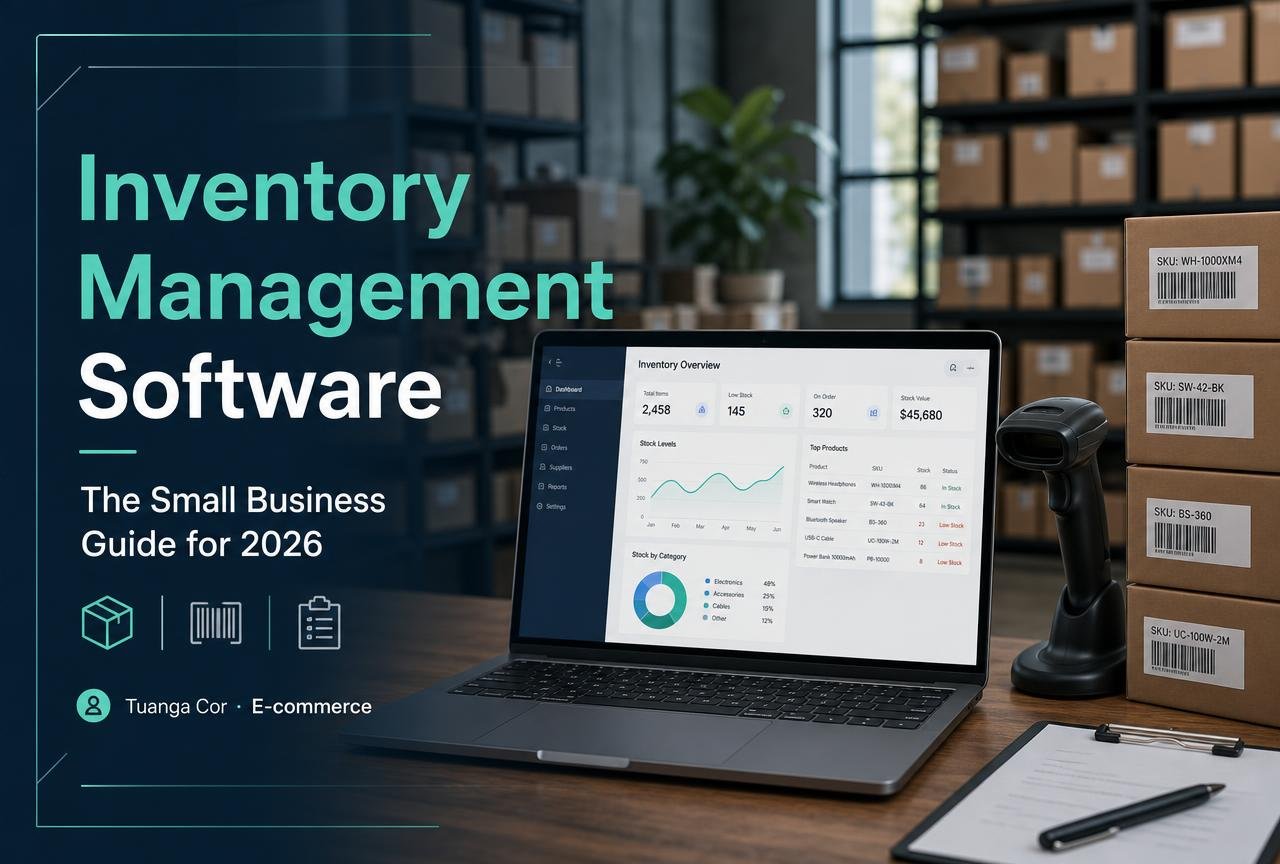
Ask any small retailer what keeps them awake at night and the answer is rarely marketing. It is stock. Too much of it and cash sits on a shelf gathering dust; too little and a customer who was ready to buy quietly goes somewhere else. Inventory management software exists to close that gap — to tell you what you own, where it is, what it cost, and when to order more, without a spreadsheet that only one person in the company understands.
This guide is written for owners and operations leads running between 50 and 20,000 SKUs across a shop, a warehouse, a Shopify storefront and a marketplace or two. We look at what the software actually does, how the leading platforms differ, what they cost, how to migrate without losing a weekend, and the mistakes that turn a promising rollout into an expensive filing cabinet.
What inventory management software actually does
At its core, an inventory management system (IMS) is a single source of truth for stock. Every unit has an identity — a SKU — and every movement of that unit is recorded: goods received, sales, returns, transfers between locations, damage, and stock counts. From that ledger the software derives the numbers you actually make decisions with.
The five jobs the software has to do well
- Track quantity on hand in real time across every location and sales channel, so your website never sells the last unit twice.
- Value the stock correctly using FIFO, weighted average or specific-identification costing, because that number flows straight into your accounts and your tax return.
- Trigger replenishment through reorder points, minimum-maximum levels or demand forecasts that account for supplier lead time.
- Handle purchase orders and receiving so what you ordered, what arrived and what you were invoiced can be reconciled in three clicks.
- Report on what matters: inventory turnover, sell-through rate, dead stock, gross margin by product, and the true landed cost of imported goods.
Where it sits in your stack
Inventory rarely lives alone. In a typical small-business setup the IMS sits between the sales channels (Shopify, WooCommerce, Amazon, a POS till) and the accounting ledger (QuickBooks Online or Xero). Orders flow in, stock is decremented, cost of goods sold is pushed to accounting, and purchase orders flow out to suppliers. If you are still choosing your storefront, our comparison of the best e-commerce platform for small business is the natural companion to this guide.
Seven signs you have outgrown spreadsheets
- You have oversold an item on a marketplace in the last 90 days.
- Two people maintain two versions of the same stock file.
- Your stocktake takes more than a day and still ends in a variance you cannot explain.
- You do not know your gross margin per SKU without rebuilding a formula.
- Purchase orders live in an email thread rather than a system.
- You hold stock in more than one location — including a third-party fulfilment partner.
- Your accountant asks for a closing stock value and you estimate it.
Three or more of these and the payback period on a $99-a-month system is usually measured in weeks, not quarters.
Best inventory management software for small business: compared
The shortlist below reflects the platforms small businesses in the US, UK, Canada and Australia most often shortlist and, crucially, most often keep after year one. Pricing is taken from each vendor's public pricing page and is entry-tier at time of writing; always confirm before you buy, and check whether your region is billed in local currency.
| Platform | Best for | Entry price | Native accounting | Multi-channel | Manufacturing / BOM |
|---|---|---|---|---|---|
| Zoho Inventory | Lean online sellers on a budget | Free tier, then ~$39/mo | Zoho Books, QuickBooks, Xero | Shopify, Amazon, eBay, Etsy | Basic bundles |
| Cin7 Core (Dear) | Wholesale plus retail with real complexity | ~$349/mo | QuickBooks, Xero | Deep, incl. B2B portal | Full BOM, work orders |
| Katana | Makers and light manufacturers | ~$199/mo | QuickBooks, Xero | Shopify, WooCommerce | Best in class |
| Shopify (native + POS) | Single-brand DTC retail | Included in plan | Via app | Shopify channels | No |
| QuickBooks Online Plus | Finance-first businesses | Plus tier and above | Native | Limited | Assemblies only |
| Odoo Inventory | Teams that want one open ERP | Per-app, from ~$25/user | Odoo Accounting | Via connectors | Yes |
Zoho Inventory
The most forgiving entry point. Order management, multi-warehouse, barcode scanning, packing slips and shipping labels are all present at a price a two-person business can justify, and the free tier is genuinely usable for very low order volumes. The trade-off is depth: forecasting is simple, and complex manufacturing is out of scope. If you already use other Zoho apps, the integration tax is close to zero.
Cin7 Core
Formerly Dear Systems, Cin7 Core is what businesses graduate to when they run wholesale and retail side by side, import containers, and need landed-cost accuracy to the cent. It is heavier to implement — budget a few weeks and expect to pay for onboarding — but the purchase-order, batch-tracking and B2B ordering modules replace three or four separate tools.
Katana
Built for people who make things. Katana models raw materials, bills of materials and production floor operations, then shows live material availability against open orders. Coffee roasters, cosmetics brands and furniture makers are its natural home. Retailers who only buy and resell will pay for capability they never use.
Shopify's native inventory and POS
Underrated for single-brand retailers. Shopify tracks stock per location, supports transfers, and — with Shopify POS — unifies the shop floor and the website without a connector in the middle. Documented in Shopify's own inventory management help centre, it is limited on purchasing and reporting, so many merchants layer a dedicated IMS once purchase orders become a job in themselves.
QuickBooks Online Plus
If your finance workflow is the priority and inventory is secondary, keeping stock inside the ledger avoids reconciliation entirely. Intuit documents inventory tracking, assemblies and reorder points in the QuickBooks support library. It is not a warehouse system, but for a service business with a modest product line it is often enough.

Costing methods, landed cost and why the number matters
Two businesses can hold identical stock and report very different profits, because inventory valuation is a choice. Most small businesses use one of three methods.
FIFO
First-in, first-out assumes the oldest units sell first. In an inflationary period it reports a lower cost of goods sold and a higher profit, which flatters the P&L and raises the tax bill. It is the default in most Commonwealth jurisdictions and the easiest to defend in an audit.
Weighted average cost
Every receipt recalculates a blended cost across all units on hand. It smooths out price volatility and is far simpler to operate when you buy the same item from several suppliers at different prices. Most SaaS inventory systems support it natively.
Specific identification
Each unit carries its own cost. Essential for serialised, high-value or batch-controlled goods — electronics, jewellery, regulated products — and unnecessary overhead for anything else.
Landed cost is where importers lose money
The invoice price of a container is rarely the real cost. Freight, insurance, duty, customs brokerage, port handling and currency movement can add 15–35% to a unit. Systems that support landed-cost allocation spread those charges across the shipment by value, weight or volume, so your margin report tells the truth. If you import and your software cannot do this, you are pricing blind.
Reorder points, safety stock and simple forecasting
Automated replenishment is the feature that repays the subscription fastest, and it rests on two numbers you can calculate today.
Safety stock
The buffer that absorbs demand spikes and late deliveries. A workable approximation for small businesses: (maximum daily sales × maximum lead time) − (average daily sales × average lead time). Track it per SKU, not per catalogue.
Reorder point
(Average daily sales × supplier lead time in days) + safety stock. When on-hand plus on-order falls below this line, the system raises a purchase order suggestion. Set it once per SKU, review quarterly, and let the software nag you instead of the other way round.
Inventory turnover
Cost of goods sold ÷ average inventory value. Four turns a year is unremarkable for general retail; fashion and grocery run far higher. Watch the trend rather than the absolute number, and segment it — an ABC analysis where the top 20% of SKUs by revenue get weekly attention and the bottom 50% get quarterly attention is the highest-leverage habit in stock control.
A 30-day implementation plan that does not break the business
Week 1 — Clean the data
Export your current stock list. Deduplicate SKUs, standardise naming, and archive anything you have not sold in twelve months. Every hour spent here saves three later. Agree a SKU convention — category, attribute, size — and never change it again.
Week 2 — Configure, do not customise
Create locations, suppliers, tax rates, units of measure and product categories. Import products with cost and price. Connect the accounting ledger first and the sales channels second, so financial mappings are correct before transactions start flowing.
Week 3 — Count and go live in parallel
Perform a full physical count on a closed day and enter opening balances. Run the old and new systems side by side for a week on a subset of SKUs. Reconcile daily; the discrepancies you find now are process problems, not software problems.
Week 4 — Train, document, and switch
Write a one-page receiving procedure and a one-page dispatch procedure. Train every person who touches stock, including weekend staff. Then turn the spreadsheet read-only rather than deleting it — a visible fallback removes fear and, in practice, nobody opens it after a fortnight.
Teams that already run a structured project process handle this far better; if yours does not, the tools in our guide to the best project management software for small teams are enough to run the rollout as a proper project.
Integrations, APIs and avoiding the sync trap
Multi-channel selling lives or dies on synchronisation. Three architectural details decide whether yours is reliable.
Who owns the truth?
Exactly one system must be the master of quantity on hand. Everything else subscribes. Two masters means two answers and, eventually, an oversell.
Webhooks beat polling
A platform that pushes an event the moment an order is placed keeps channels within seconds of each other. Polling every fifteen minutes is fine at ten orders a day and dangerous during a flash sale. Check the vendor's API documentation for webhook coverage and for published rate limits before you commit.
Buffers and rounding
Hold a small channel buffer on fast-moving lines — publish 95% of true availability to marketplaces — so a sync delay never becomes a cancelled marketplace order and a seller-performance penalty.
Payments and fulfilment
Order data is only as clean as the checkout that produced it. Refunds, partial captures and pre-orders all affect stock, so confirm how your gateway's states map to inventory events. Stripe documents the full lifecycle in its payments documentation, and our overview of payment gateways for startups covers the commercial trade-offs.
Where AI genuinely helps — and where it does not
Every vendor now markets AI. Two applications are real and worth paying for today.
- Demand forecasting that blends seasonality, promotions and trend into a suggested order quantity. On SKUs with at least a year of history, this reliably beats a human eyeballing a chart.
- Anomaly detection that flags shrinkage, mis-scans and supplier short-shipments the day they happen rather than at year-end stocktake.
Two applications are still immature: automated supplier negotiation, and forecasting for brand-new SKUs with no sales history. For a new product, a structured pilot order remains better than any model. Treat AI output as a suggestion queue that a person approves — the businesses that let it place orders unattended are the ones writing off dead stock a season later.
Common mistakes that sink inventory projects
- Migrating dirty data. Duplicated and mislabelled SKUs are the single biggest cause of failed rollouts.
- Buying for the business you might be in three years. Complexity you cannot staff is complexity you will not use.
- Skipping cycle counts. A rolling count of a handful of SKUs each week keeps accuracy above 98% and removes the annual shutdown entirely.
- Ignoring returns. Restocking, grading and write-off rules must exist before the first return arrives, or your on-hand figure drifts silently.
- Leaving accounting until last. If cost of goods sold does not post correctly from day one, you will spend the next quarter unpicking it.
- No owner. One named person must own stock accuracy. Shared ownership is no ownership.
The verdict
Choose the smallest system that covers your next eighteen months. For most small online retailers that is Zoho Inventory or the native tooling in their storefront; for wholesalers it is Cin7 Core; for makers it is Katana. What separates the businesses that get value from those that do not is rarely the logo on the invoice — it is clean data, one owner, weekly cycle counts, and reorder points that reflect real supplier lead times.
Get those four things right and the software does exactly what it promised: it tells you what you own, warns you before you run out, and gives you back the weekend you used to spend counting boxes.
Frequently asked questions
What is inventory management software?
Inventory management software is a system that records every movement of stock — receipts, sales, transfers, returns and adjustments — across all your locations and sales channels, then uses that ledger to report quantity on hand, stock value, reorder needs and profitability by product in real time.
How much does inventory management software cost for a small business?
Entry-level cloud platforms start free or around $39 per month for low order volumes. Mid-market systems with purchasing, landed cost and manufacturing typically run $200–$400 per month. Add a one-off implementation cost of a few hundred to a few thousand dollars for complex catalogues.
Do I need inventory software if I only sell on Shopify?
Not necessarily. Shopify tracks stock per location natively and, with Shopify POS, covers retail too. Dedicated software becomes worthwhile once purchase orders, supplier lead times, landed cost or a second sales channel enter the picture.
What is the difference between inventory management and warehouse management?
Inventory management answers what you own, what it cost and when to reorder. Warehouse management answers where each unit physically sits and how to pick it efficiently — bins, zones, pick paths and labour. Small businesses usually need the first long before the second.
Which inventory costing method should a small business use?
FIFO is the safest default and is widely accepted by tax authorities. Weighted average cost is simpler when you buy the same item from multiple suppliers at varying prices. Use specific identification only for serialised or batch-controlled goods.
How do I calculate a reorder point?
Multiply average daily sales by supplier lead time in days, then add safety stock. Review the figure quarterly and per SKU, because lead times drift and seasonal demand changes both inputs.
Can inventory software connect to QuickBooks or Xero?
Yes. Every major platform on this list offers a maintained integration with QuickBooks Online and Xero that posts cost of goods sold, stock value and purchase bills. Connect accounting before your sales channels so financial mappings are right from the first transaction.
How long does implementation take?
For a clean catalogue under 1,000 SKUs on a single channel, two to four weeks is realistic. Multi-warehouse, multi-channel or manufacturing setups typically take six to twelve weeks, and most of that time is data cleanup rather than configuration.
How do I stop overselling across marketplaces?
Nominate one system as the master of stock, prefer webhook-based syncing over scheduled polling, and hold a small availability buffer on fast-moving lines so that a brief sync delay never converts into a cancelled marketplace order.
E-commerce platforms, payment gateways, inventory and conversion tools for online sellers.


