Time Tracking Software for Small Business (2026 Guide)
How time tracking software works, how Toggl, Clockify, Harvest, Hubstaff and QuickBooks Time compare, and a 14-day rollout your team will adopt.
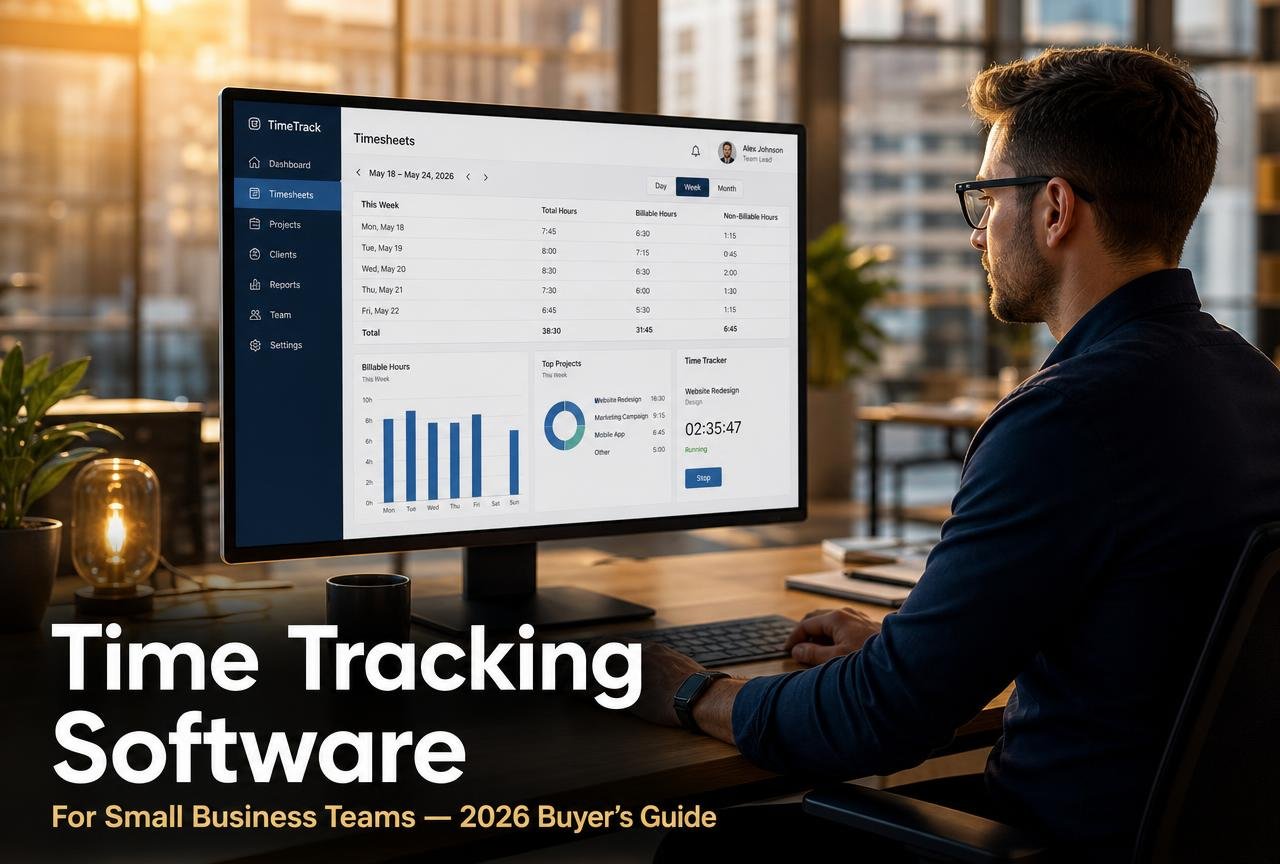
Most small businesses discover they have a time problem the same way: a project that was quoted at forty hours quietly takes seventy, the invoice goes out at the original number, and nobody can explain where the extra thirty went. The work happened. The record of it did not.
Time tracking software fixes that gap. At its simplest it is a timer and a timesheet. At its most useful it is a live feed of where your team's capacity actually goes — which clients are profitable, which projects are bleeding, who is overloaded, and how much unbilled work is sitting in last week's calendar. This guide covers how the category works, how Toggl Track, Clockify, Harvest, Hubstaff, QuickBooks Time and ClickUp compare in 2026, what each really costs, and a two-week rollout that does not feel like surveillance.
What time tracking software actually does
A time tracking system records blocks of work against a structure you define — usually client, project, task and billable status — and then turns that raw data into timesheets, invoices, payroll input and profitability reports. The recording can be manual (start and stop a timer), semi-automatic (drag calendar events onto a timesheet) or fully automatic (an agent logs app and website activity for you to categorise later).
The six jobs a good system handles
- Capture — a one-click timer on desktop, mobile and browser, plus an offline mode so field work is not lost.
- Structure — client, project, task and tag hierarchies deep enough for reporting but shallow enough that people actually use them.
- Approval — weekly timesheet submission and manager sign-off, which is where most billing disputes get resolved before they reach the client.
- Billing — different hourly rates by person, role, project or client, converted into an invoice without re-keying.
- Payroll input — regular versus overtime hours, breaks, and time off, exported to your payroll provider.
- Reporting — utilisation, realisation, budget burn and estimate accuracy, which are the numbers that change what you quote next time.
Time tracking, project management and payroll are not the same tool
Vendors blur these categories on purpose, so it helps to separate them:
- Project management plans and sequences the work — tasks, owners, dependencies, deadlines.
- Time tracking records what the work actually consumed.
- Payroll pays people for it and handles the tax side.
Small teams often start with a project tool that has a timer bolted on. That is fine up to about ten people. Past that, the reporting in a dedicated tracker is worth the extra subscription. If you are still choosing the planning layer, start with our comparison of the best project management software for small teams.
Eight signs your team has outgrown spreadsheets
- Timesheets are reconstructed on Friday afternoon from memory and a calendar.
- You have written off billable hours because you could not evidence them.
- Two people quote the same type of job at wildly different numbers.
- You cannot say which client was your most profitable last quarter.
- Overtime is discovered in payroll rather than planned in advance.
- A project passed its budget and nobody noticed until it was finished.
- Contractors invoice hours you have no independent record of.
- Capacity planning happens by asking "does anyone have room?" in a group chat.
Sizing the prize in one calculation
Take your billable headcount, multiply by your average rate, then by 30 minutes of unrecorded work per person per working day. A five-person consultancy at $110 an hour loses roughly $71,000 a year of recoverable time at that rate. You will not capture all of it — but recovering a third pays for any tool in this comparison several hundred times over.
Toggl Track vs Clockify vs Harvest vs Hubstaff vs QuickBooks Time
Pricing below reflects published list rates on each vendor's site at the time of writing, billed annually per user per month. Always confirm on the vendor's own pricing page before you commit — plans in this category change frequently.
| Tool | Entry price | Best for | Standout strength | Main limitation |
|---|---|---|---|---|
| Toggl Track | Free; paid from ~$9 | Agencies and consultancies | Fastest capture UX, excellent reporting, no invasive monitoring | Invoicing is light; no payroll |
| Clockify | Free; paid from ~$4 | Budget-conscious and large headcounts | Genuinely usable free tier for unlimited users | Interface density; some reports feel utilitarian |
| Harvest | Free (1 seat); paid ~$11 | Client billing and invoicing | Time-to-invoice flow is the cleanest in the category | Fewer workforce-management features |
| Hubstaff | From ~$5–7 | Field, remote and hourly teams | GPS, geofencing and optional activity monitoring | Monitoring features need careful policy and consent |
| QuickBooks Time | Add-on, from ~$10 + base fee | Businesses already on QuickBooks | Native payroll and accounting sync | Locked to the Intuit ecosystem |
| ClickUp | Free; paid from ~$7 | Teams wanting one tool | Tracking inside the project tool you already use | Reporting depth trails dedicated trackers |
How to read that table
If you bill clients by the hour
Harvest or Toggl Track. Both let you set per-project and per-person rates, mark time billable or not, and generate an invoice from approved entries. Harvest edges ahead if invoicing and payment collection matter more than analytics; Toggl wins if you care about margin reporting and estimate accuracy.
If you employ hourly or field staff
Hubstaff or QuickBooks Time. Clock-in kiosks, GPS verification and geofenced job sites solve problems that a desktop timer cannot. Be explicit with staff about what is recorded and why — in the UK and EU, location and activity monitoring carries clear obligations under UK GDPR, and transparency is the difference between adoption and resentment.
If cost is the deciding factor
Clockify. The free tier supports unlimited users and projects, which is unusual, and paid upgrades are the cheapest per seat in the group. You trade some polish and some advanced forecasting for that.
If you want fewer tools, not more
Use the tracker inside your project platform. ClickUp, Asana (Advanced) and monday.com all track time natively. It is the right call when tracking is for internal awareness rather than billing. Read our task management tools comparison for how those platforms differ on everything else.
The features that matter — and the ones that do not
Worth paying for
- Billable rate hierarchy. Rates should cascade: workspace default, overridden by project, overridden by person. Without this, mixed-rate teams end up invoicing by hand.
- Budget alerts. Notification at 75% and 90% of a project's hour or fee budget, sent to the project owner rather than buried in a dashboard.
- Timesheet approval. A submit-and-approve step converts raw data into something you can defend to a client.
- Idle detection and reminders. A prompt when a timer has run for four hours untouched prevents the single most common data error.
- Accounting and payroll integrations. Native sync to QuickBooks Online, Xero, Gusto or your payroll provider removes the CSV step where accuracy dies.
- A real API and webhooks. Even if you never use them, their presence signals a platform that will still fit in three years.
Usually not worth it for small teams
- Screenshot monitoring. It measures presence, not output, and it damages trust faster than it recovers hours. Reserve it for narrow contractor arrangements where both sides have agreed in writing.
- Productivity scores. An algorithm rating a designer's "focus" against a support agent's is noise dressed as insight.
- Resource-forecasting suites. Genuinely useful above roughly thirty billable people; overhead below it.
A 14-day rollout your team will actually adopt
Time tracking fails for cultural reasons far more often than technical ones. This sequence front-loads the "why" and keeps the structure deliberately simple.
Days 1–3: agree the purpose in writing
Tell the team, in one short document, exactly what the data will and will not be used for. The strongest framing is commercial: we quote badly, we want to quote better, and we need evidence. State plainly that the data will not be used for individual performance ranking — and then keep that promise, because the first time it is broken, the data quality never recovers.
Days 4–5: build the smallest structure that works
Create clients, then projects, then no more than eight task types across the whole business (for example: discovery, production, revisions, meetings, admin, sales, support, internal). Resist a fifty-item taxonomy. Granularity can be added in month three, once people trust the habit; it can rarely be removed once it has bred resentment.
Days 6–7: connect the plumbing
Link the tracker to your accounting or payroll system, install the browser extension and mobile app for everyone, and set budget alerts on your three largest active projects. Test one full cycle — timer, timesheet, approval, invoice draft — with a single project before anyone else is involved.
Days 8–11: run a parallel week
Everyone tracks; nothing changes about how you bill. Expect a 60–70% capture rate in week one. Publish a single anonymised chart at the end of the week showing total hours by category. Not by person. The point is to show the team the shape of their own work, which is almost always more interesting than they expect.
Days 12–14: close the loop and switch on
Run the first real approval cycle, produce one invoice from tracked time, and hold a thirty-minute review comparing estimated against actual hours on one completed project. That review is the entire return on the exercise — schedule it monthly and never cancel it.
The four reports that change decisions
Most trackers ship with dozens of reports. Four of them do the work.
1. Utilisation by person
Billable hours divided by available hours. Use it to spot overload and undersold capacity, not to rank individuals. For small service businesses, 60–75% is a realistic target; anything above 85% sustained is a burnout signal, not an achievement.
2. Estimate accuracy by project type
Actual hours divided by quoted hours, grouped by the kind of work. This is the report that raises prices. If website redesigns consistently run at 1.4× the estimate, the estimate is wrong — not the team.
3. Profit per client
Fees collected minus (tracked hours × loaded cost per hour). Nearly every agency that runs this for the first time finds one prestigious client is subsidised by three quiet ones. What you do with that is a business decision; not knowing it is not a strategy.
4. Unbilled time
Approved billable hours with no invoice attached. Run it weekly. In most firms it recovers more money in the first month than the software costs in a year.
Feeding the numbers into how you sell
Once you have two quarters of estimate-accuracy data, the natural next step is moving from hourly quotes to fixed-price packages priced from your own history — the point at which good tracking stops being an admin cost and becomes a pricing advantage. Pair it with clean handover: our guide to client onboarding software and workflows covers the other half of that equation.
Common mistakes that sink a rollout
- Introducing tracking during a crunch. Adding admin to an already overloaded week guarantees the tool is blamed for the stress.
- Tracking in fifteen-minute increments from day one. Start at the task level. Precision without habit produces precise fiction.
- Letting timers run overnight. Turn on idle detection before the first week, not after the first bad invoice.
- Using the data punitively. One performance conversation citing someone's tracked hours will halve your data quality permanently.
- Never closing the loop. If the team never sees what the data changed, tracking becomes theatre and capture rates decay quietly from month three.
- Ignoring local law. Working-time records, break tracking and monitoring consent are regulated differently in the US, UK, Canada and Australia. Check your obligations before enabling location or activity features.
Where to verify the details
Feature sets and prices move. Confirm current capability directly with the vendors — Toggl Track, Harvest and QuickBooks Time all publish current pricing and integration documentation publicly.
Frequently asked questions
What is the best time tracking software for a small business?
For client-billing service firms, Toggl Track and Harvest are the strongest all-round choices. Teams on a tight budget get remarkable value from Clockify's free tier, businesses with field or hourly staff are better served by Hubstaff, and anyone already running QuickBooks payroll should look at QuickBooks Time first.
How much does time tracking software cost?
Expect roughly $4 to $12 per user per month on annual billing for small-business plans, with capable free tiers from Clockify, Toggl Track and ClickUp. Payroll-integrated products such as QuickBooks Time add a monthly base fee on top of the per-seat price.
Is time tracking software legal for monitoring employees?
Recording hours worked is standard and lawful everywhere. Screenshots, keystroke logging and GPS are far more restricted: in the UK and EU you need a lawful basis, transparency and usually a data protection impact assessment, and several US states and Canadian provinces have notice requirements. Disclose in writing before enabling anything beyond a timer.
Can time tracking work without feeling like surveillance?
Yes, and it is mostly about framing and scope. Track work at project level rather than individual level, publish reports by category instead of by person, skip screenshots and activity scores entirely, and show the team each month what the data changed about quoting or workload.
Does time tracking software integrate with accounting and payroll?
The major products sync natively with QuickBooks Online and Xero, and most connect to payroll providers such as Gusto or via Zapier. Native two-way sync is worth paying for — CSV exports are where hours get mistyped and reconciliations break.
Should freelancers use time tracking if they charge fixed fees?
Especially then. Fixed-fee work is only profitable if you know your effective hourly rate, and you cannot calculate that without hours. Most freelancers who track for a quarter discover one service line earns half what another does per hour.
How accurate is automatic time tracking?
Automatic capture of apps and documents is good at reconstructing a day you forgot to log, but it cannot know which client a browser tab belonged to. Treat it as a memory aid that you confirm each morning, not as an unattended source of billable records.
How long before time tracking pays for itself?
Most small service businesses recover the subscription within the first billing cycle through previously unbilled hours alone. The larger return — better estimates and repriced services — typically arrives after two quarters of data.
Task management, collaboration and communication tools for remote teams and SMBs.


