Subscription Billing Software: Recurring Revenue Guide
How subscription billing works, how Stripe Billing, Chargebee, Recurly, Paddle and Zoho compare, and a 30-day plan to launch recurring plans safely.

Recurring revenue looks simple from the outside: a customer pays every month, the money arrives, the business grows. Inside, it is one of the fiddliest problems in small-business software. Proration on mid-cycle upgrades, dunning on expired cards, tax that differs by state and country, refunds that span two periods, and a revenue figure your accountant recognises — none of that is handled by a plain payment button.
Subscription billing software is the layer that manages it. This guide explains what the category does, how Stripe Billing, Chargebee, Recurly, Paddle, Zoho Subscriptions and Shopify's subscription apps differ in 2026, what they cost in real terms once fees are counted, and how to launch recurring plans without creating a reconciliation nightmare six months from now.
What subscription billing software actually does
A payment gateway moves money once. A subscription billing platform manages a relationship over time: it knows what plan a customer is on, when to charge them, how much, what happens when the charge fails, what tax applies, and how to report all of it as revenue.
The seven jobs the software handles
- Plan and pricing catalogue — monthly and annual tiers, per-seat pricing, usage-based metering, free trials, coupons and grandfathered legacy prices.
- Subscription lifecycle — signup, upgrade, downgrade, pause, cancel and reactivate, each with correct proration.
- Recurring collection — scheduled charges against stored cards, ACH, Faster Payments, SEPA Direct Debit or wallets.
- Dunning and recovery — automatic retries on failed payments, card-updater services, and escalating email sequences before involuntary churn.
- Tax — sales tax, VAT, GST and digital-services rules applied by customer location, with the paperwork to support it.
- Invoicing and compliance — compliant invoices and credit notes, and revenue recognition schedules under ASC 606 or IFRS 15.
- Analytics — MRR, ARR, churn, expansion, contraction and lifetime value calculated consistently rather than in a spreadsheet.
Merchant of record versus payment processor
This distinction decides how much compliance work you own, and it is the most consequential choice in the category.
- Processor model (Stripe Billing, Recurly, Chargebee on top of a gateway): you are the seller of record. You keep more of each transaction and full control of the customer relationship, but you are responsible for registering and remitting sales tax, VAT and GST wherever you have obligations.
- Merchant-of-record model (Paddle, Lemon Squeezy, FastSpring): the vendor legally sells to your customer, so it handles global tax registration, remittance and much of the fraud exposure. You pay a higher headline rate for that.
For a business selling digital products across several countries, the merchant-of-record premium is frequently cheaper than the accountants required to do it yourself.
Seven signs you need real billing software
- You are creating recurring invoices manually, or chasing card updates by email.
- A customer upgraded mid-month and you guessed the proration.
- You cannot state this month's MRR without opening a spreadsheet.
- Failed payments are discovered when a customer complains that their account still works.
- You started selling into the EU or UK and are unsure about VAT and reverse charge.
- Cancellations are processed by hand, so access sometimes outlives the refund.
- Your accountant asks about deferred revenue and the answer takes a week.
What it costs to stay manual
At 200 subscribers paying $40 a month, a 6% involuntary churn rate that better dunning could halve is worth roughly $2,880 of recovered annual revenue — before counting the compounding effect of customers retained for further years. Recovery, not automation, is where subscription tooling repays itself.
Stripe Billing vs Chargebee vs Recurly vs Paddle vs Zoho
The figures below reflect published list pricing at the time of writing and exclude the underlying card processing fee unless stated. Verify current rates on each vendor's pricing page before committing — this category reprices often.
| Platform | Model | Indicative cost | Best for | Watch out for |
|---|---|---|---|---|
| Stripe Billing | Processor | ~0.7% of billing volume + card fees | Product-led SaaS and developer teams | You own tax registration unless you add Stripe Tax |
| Chargebee | Processor layer | Free tier, then from ~$599/mo | Complex catalogues and finance workflows | Cost steps up sharply past the starter tier |
| Recurly | Processor layer | Percentage of revenue, quoted | Consumer subscriptions at volume | Overkill and overpriced for early stage |
| Paddle | Merchant of record | ~5% + $0.50 per transaction | Digital products sold globally | Higher rate; less control of the payment page |
| Lemon Squeezy | Merchant of record | ~5% + $0.50 per transaction | Solo founders and small digital sellers | Fewer enterprise billing features |
| Zoho Subscriptions | Processor layer | From ~$29/mo | Businesses already inside Zoho | Best value only with the wider Zoho suite |
| Shopify subscription apps | Storefront add-on | ~$20–100/mo + Shopify fees | Physical-product subscription boxes | Tied to the Shopify checkout |
Choosing by situation
Software or digital products sold internationally
Start with a merchant of record. Paddle and Lemon Squeezy remove VAT, GST and digital-services registration from your to-do list entirely. The 5% headline looks expensive against Stripe's stack until you price an accountant handling EU VAT returns quarterly.
SaaS selling mainly in one country
Stripe Billing plus Stripe Tax is the pragmatic default: strong APIs, hosted checkout and customer portal, and per-seat and usage-based pricing without custom code. Its billing documentation is the best in the category.
Physical subscription boxes
Keep it in the storefront. A Shopify subscription app manages shipping cycles, skip-a-box and inventory allocation in ways generic billing platforms do not. Our comparison of the best e-commerce platform for small business covers the underlying storefront decision, and stock allocation for recurring orders is handled in our inventory management software guide.
Services firms adding retainers
You may not need a billing platform at all. Recurring invoices in Xero, QuickBooks or your practice-management tool cover monthly retainers fine — see our roundup of invoicing tools for small business before buying anything more complex.
Getting the pricing model right before you build it
Billing software implements a pricing model; it will not rescue a bad one. Decide these four things first, because changing them later means migrating live subscriptions.
Flat, per-seat, tiered or usage-based
- Flat rate is easiest to sell and easiest to bill, but leaves money on the table with larger customers.
- Per-seat is the SMB SaaS default: predictable, expands naturally, and every platform supports it well.
- Tiered packages features into good-better-best; simple to explain, but expansion revenue only arrives at tier jumps.
- Usage-based aligns price with value and grows without a sales conversation, but requires reliable metering and makes forecasting harder.
Hybrid models — a base platform fee plus metered usage — have become the norm for infrastructure-flavoured products. Confirm your chosen platform meters natively before you promise it.
Annual plans and the cash-flow trade
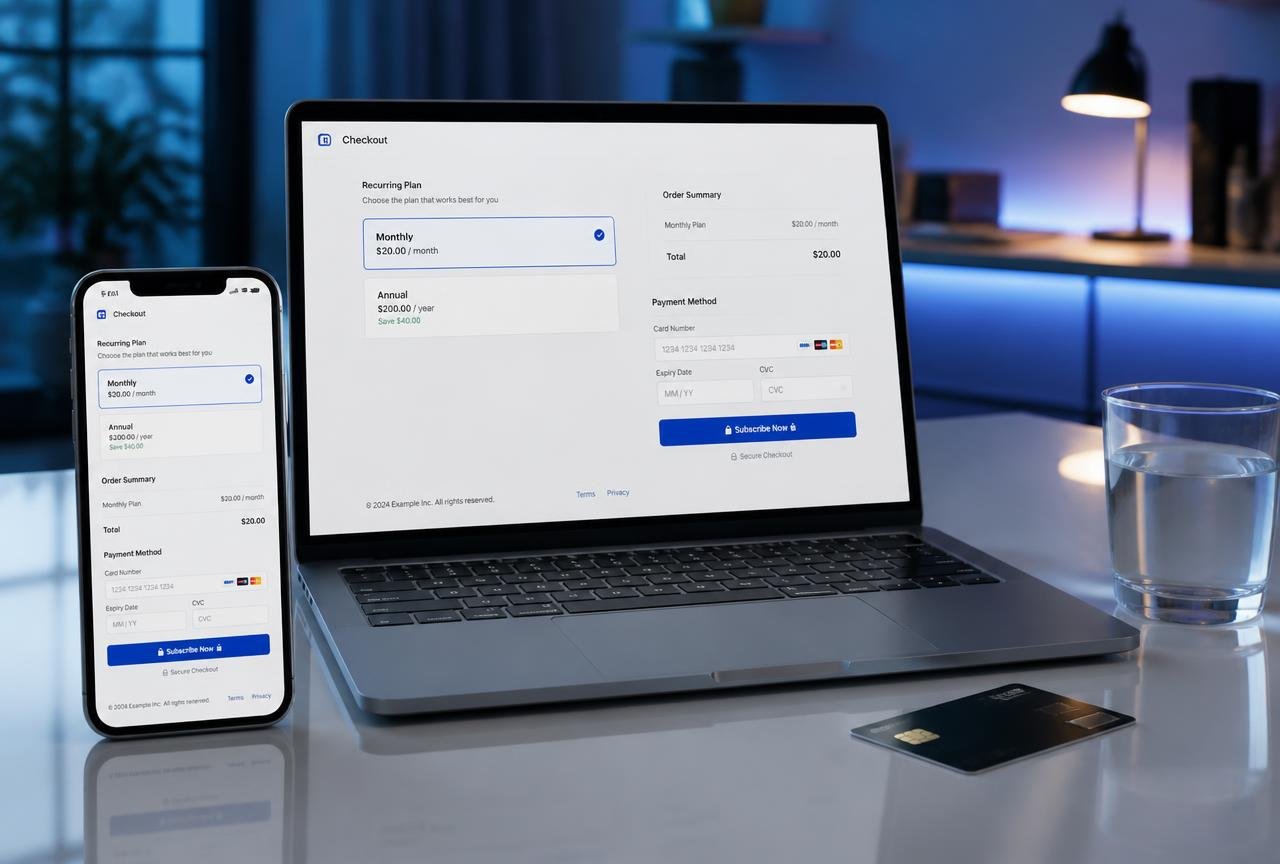
An annual plan discounted 15–20% typically improves retention and pulls a year of cash forward, which for a small business is often worth more than the discount. Watch the accounting side: annual cash is deferred revenue recognised monthly, and a platform that produces that schedule automatically saves real time at year end.
Trials, freemium and card capture
Card-required trials convert a far higher share of trialists but attract fewer of them. Card-free trials fill the funnel and shift the conversion work to your onboarding emails. There is no universal right answer — but decide deliberately, because it changes which lifecycle emails your automation platform needs to send. Our guide to marketing automation workflows covers the sequences that convert trials.
Dunning: the highest-return feature nobody demos
Involuntary churn — subscriptions lost to payment failure rather than a decision — is the cheapest revenue any subscription business can recover, because the customer already wants the product.
Why cards fail
- Expiry, which is entirely predictable and largely solved by network card-updater services.
- Insufficient funds, which is often solved simply by retrying two days later.
- Issuer risk declines, which respond to retrying on a different day or through a different acquirer route.
- Hard declines such as closed accounts, which need the customer to act.
A retry schedule that works
Smart retries that adapt to issuer behaviour outperform fixed schedules, and every major platform now offers them. If you are configuring manually, a reasonable pattern is day 1, day 3, day 7 and day 14, paired with email at each step and an in-app banner from the first failure. Stop after four attempts — beyond that you risk card-network penalties and annoy the customer.
Write the emails like a person
"Your payment didn't go through — here's a one-click link to update your card" recovers more than a legal notice. Include the amount, the last four digits, and a single button. Send from a monitored address, because a meaningful number of replies are customers asking for help.
A 30-day implementation plan
Week 1 — model the catalogue
Write out every plan, add-on, coupon and legacy price you currently honour. Give each a stable internal code. Decide your billing anniversary policy: charge on signup date or align everyone to the first of the month. This is far easier to choose now than to change with 400 live subscriptions.
Week 2 — build in test mode
Create the catalogue in the platform's sandbox and run the full lifecycle end to end: signup, upgrade with proration, downgrade, pause, cancel, refund, and a deliberately failed payment. Configure tax and confirm invoices display the right identifiers for your markets. Connect the webhook that provisions and revokes access, and test that revocation genuinely works.
Week 3 — connect the finance stack
Sync invoices and payouts to QuickBooks Online or Xero, agree with your accountant how deferred revenue will be recorded, and verify one full month of test transactions reconciles to the penny. Set up your MRR, churn and recovery dashboard now — retrofitting analytics after launch always produces gaps in the history.
Week 4 — migrate and launch
If you are moving existing subscribers, migrate stored payment tokens through the provider's supported process rather than asking customers to re-enter cards; every re-entry request costs subscribers. Migrate in batches of 50, verify each batch's next charge date, and communicate clearly that pricing is unchanged. Keep the old system readable but read-only for 90 days.
Mistakes that cost real money
- Treating billing as a checkout problem. The charge is 10% of the work; lifecycle, tax and revenue reporting are the rest.
- Ignoring tax until an audit letter arrives. Digital-services rules apply from the first sale in many jurisdictions, not above a threshold.
- Hard-coding prices in your app. Prices belong in the billing catalogue so marketing can change them without a deployment.
- No webhook for failed payments. If your product does not react to a subscription lapsing, you will keep serving customers who stopped paying months ago.
- Measuring MRR three different ways. Pick the platform's definition and use it everywhere, including in board updates.
- Forcing a card re-entry during migration. The single most damaging avoidable event in a billing switch.
Where to verify current details
Rates, tax coverage and feature availability change often. Check the primary sources: Stripe Billing documentation, Paddle pricing and Chargebee pricing are all published publicly and updated by the vendors themselves.
Frequently asked questions
What is subscription billing software?
It is software that manages recurring customer payments end to end: pricing plans, signups, upgrades and downgrades with proration, scheduled charges, failed-payment recovery, tax, compliant invoices and recurring-revenue reporting. A payment gateway moves money once; billing software manages the paying relationship over time.
How does subscription billing software work?
You define plans in a catalogue, the platform stores a payment token for each customer, and a scheduler charges that token on each billing anniversary. Webhooks tell your product to grant or revoke access, dunning logic retries failures, and the system produces invoices, tax records and MRR reporting from the same data.
How much does subscription billing software cost?
Processor-model platforms typically charge around 0.5–1% of billing volume on top of card fees, or a monthly SaaS fee starting near $29 for small suites and several hundred dollars for mid-market products. Merchant-of-record providers charge roughly 5% plus a fixed fee per transaction but absorb global tax compliance.
Do I need subscription billing software if I already use Stripe?
Stripe Billing is subscription billing software — it sits on top of Stripe Payments. You only need a third-party layer such as Chargebee or Recurly when your catalogue, entitlements or revenue recognition outgrow what Stripe Billing models natively.
Can subscription billing integrate with ACH and bank payments?
Yes. Major platforms support ACH in the US, Bacs and Faster Payments in the UK, SEPA Direct Debit in Europe and BECS in Australia. Bank debits cost far less than cards on high-value plans, though they settle more slowly and fail differently, so configure separate retry rules for them.
What is the difference between a merchant of record and a payment processor?
A merchant of record legally sells to your customer, so it handles sales tax, VAT and GST registration, remittance and much of the fraud liability. With a processor you remain the seller and keep more of each transaction, but you own the tax compliance in every jurisdiction where you have obligations.
How do I reduce involuntary churn from failed payments?
Enable smart retries and network card-updater services, send plain-language email at each retry with a one-click update link, show an in-app banner from the first failure, and cap attempts at four. Configured properly this recovers a large majority of recoverable failures.
Should I offer monthly or annual subscription plans?
Offer both. Annual plans discounted 15–20% pull cash forward and cut churn, while monthly plans lower the barrier to starting. Ensure your platform recognises annual revenue monthly as deferred revenue so your accounts reflect the obligation rather than the cash.
E-commerce platforms, payment gateways, inventory and conversion tools for online sellers.


